

Some features start on a roadmap. Others start with a recurring customer request:
Can LightMesh connect to Meraki?
That request kept coming up. Now the answer is yes.
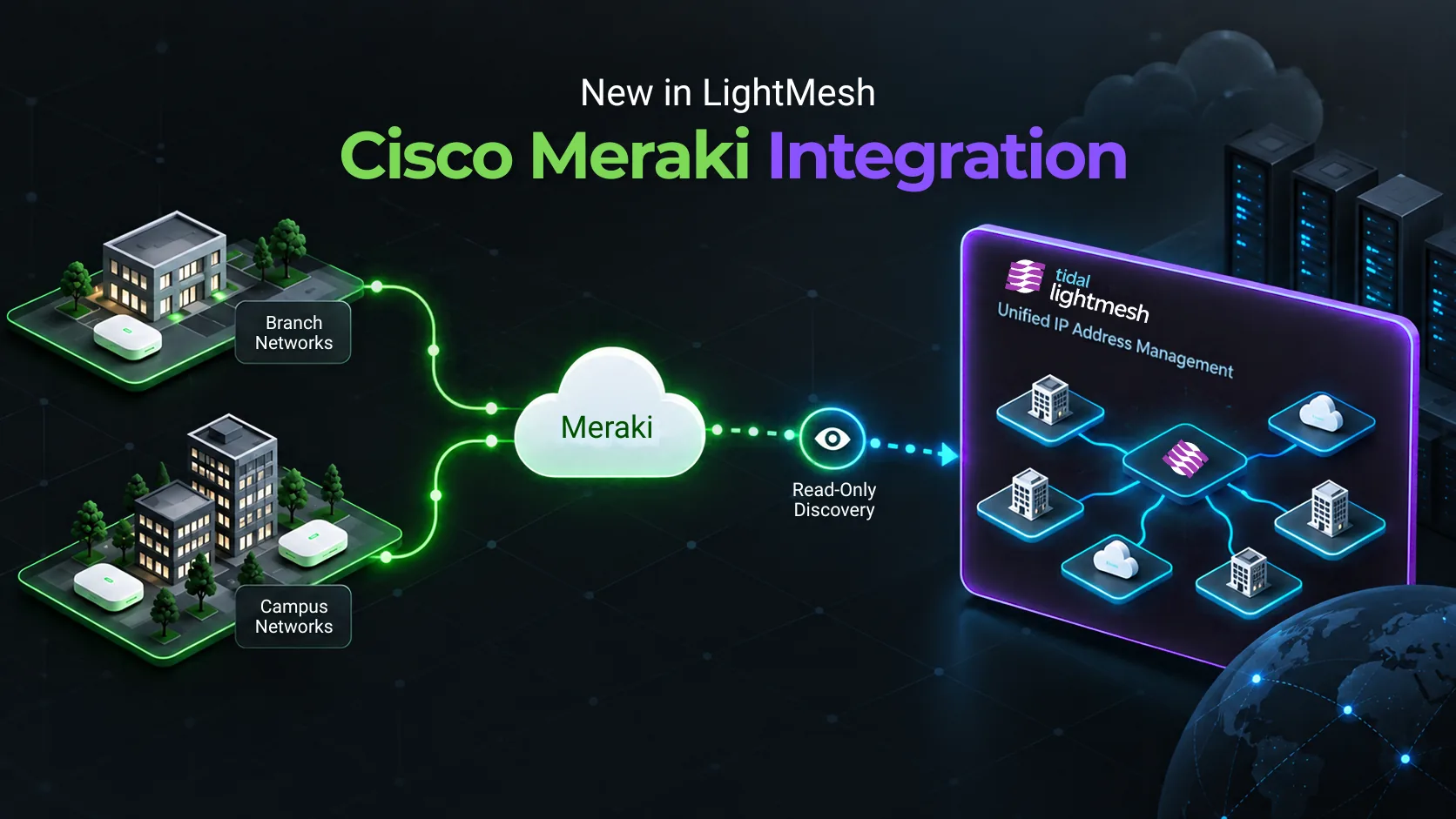
LightMesh supports Meraki sites with multiple VLANs or a single LAN through the new cloud integration for Cisco Meraki. Appliance addressing from Dashboard syncs into LightMesh as subnets (with VLAN ID when Meraki provides one), and device or client LAN IPs only when they fall inside those CIDRs.
If your branches or campuses run Meraki MX appliances, those IPs and subnets are now part of the bigger IPAM picture.
What LightMesh Discovers From Meraki
The goal isn’t to recreate the Meraki Dashboard inside LightMesh. It’s to put the network information you need to work in your IPAM.
LightMesh connects to your selected organization through the Dashboard API and imports supported network information, including:
- Sites with multiple VLANs (each VLAN’s subnet + VLAN ID)
- Sites in single-LAN mode (one appliance subnet)
- Devices with a LAN IP inside a synced subnet
- Clients with an IP inside a synced subnet
Appliance subnets sync from Meraki into LightMesh (with VLAN ID when Meraki provides one), while matching device and client IPs are associated with them automatically. This gives you IP-level visibility without manually recreating your inventory.
Discovery Without Giving Up Control
The integration is read-only by design.
LightMesh discovers network information from Meraki but never pushes configuration changes back. You keep managing your environment where you always have while LightMesh provides the IPAM view. LightMesh doesn’t display your API key after you save it, and you can revoke it in Meraki at any time.
Once connected, LightMesh syncs Meraki data daily. Need a fresher view? Click Sync Now on your Meraki account whenever you like.
One More Network Source. One Less Silo.
Most networks aren’t neatly contained in one platform anymore. You might have branches managed through Meraki, workloads running in AWS, VNets in Azure, and DHCP assigning IPs somewhere in between.
Each platform knows its own piece of the network. LightMesh brings those pieces together.
Meraki joins the AWS and Azure integrations in LightMesh, alongside discovery methods like DHCP discovery and ping sweep. Together, they help you build a broader view of your IP address space without relying on one discovery method or one infrastructure platform.
That matters most when you’re planning the next change.
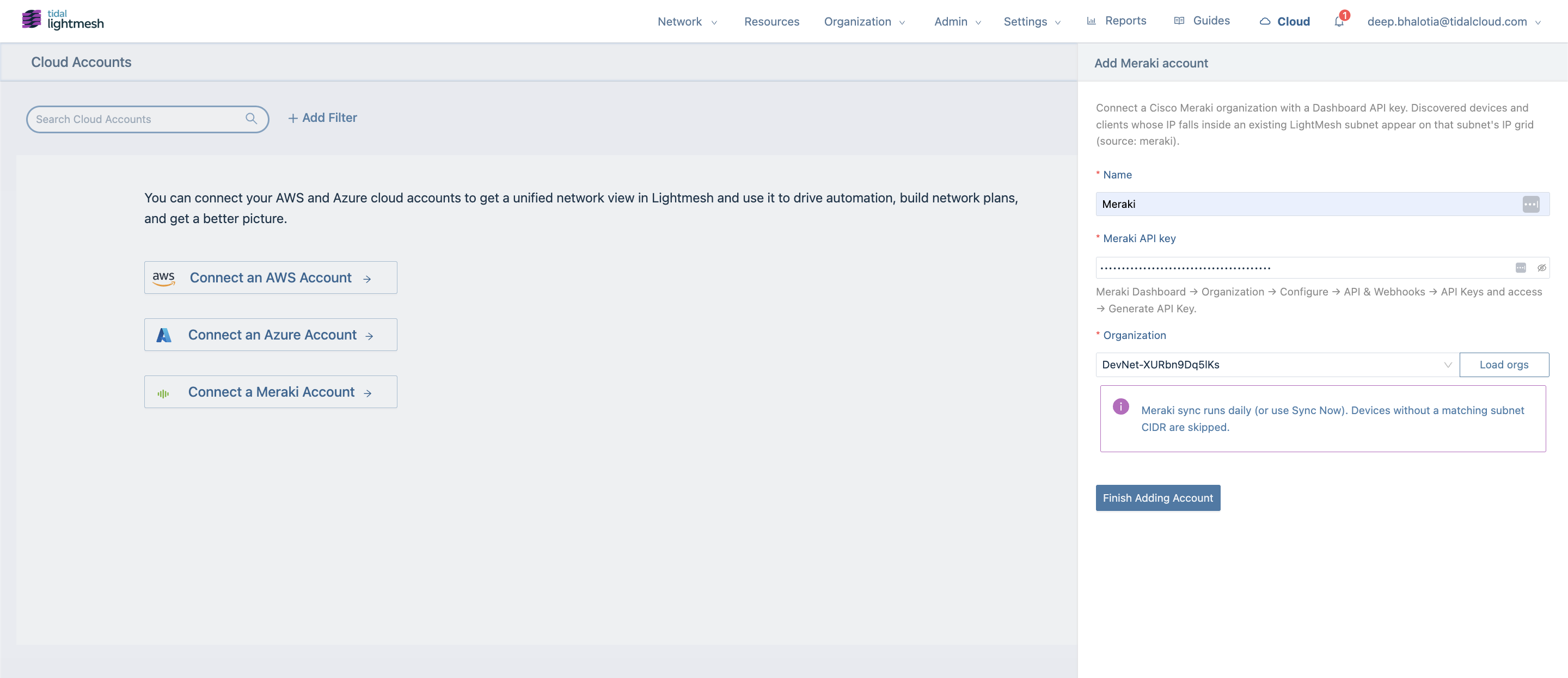
Add a Meraki account in LightMesh Cloud Accounts
Before You Allocate the Next Subnet
Say you’re adding another Meraki-managed location.
The question isn’t only what subnet should we give it? It’s whether that address space is already in use somewhere else.
With the LightMesh Meraki sync, imported subnets appear alongside the other networks you’re already tracking, so you can see what’s taken before you plan what comes next.
The same visibility helps when you’re connecting branch and cloud infrastructure, investigating an unfamiliar IP address, or trying to understand how your space is being used.
Connect Meraki to LightMesh in 3 Steps
Before you begin: You’ll need a LightMesh role of Owner, Administrator, or Contributor, and Dashboard API access enabled on your Meraki organization.
- Generate your Meraki API key with access to the organization you want to sync.
- Add Meraki in LightMesh. Under Cloud → Cloud Accounts → Add Cloud Account → Meraki, then paste your API key.
- Select your organization and finish adding the account to begin synchronization.

The Meraki cloud account appears with sync status in the provider table
For detailed permissions and setup instructions, follow the LightMesh Meraki integration guide.
Bring Meraki Into the Picture
The LightMesh cloud integration for Cisco Meraki is now available, and it’s here because customers asked for it.
By bringing Meraki-managed subnets together with your cloud, DHCP, and other network infrastructure, LightMesh gives you a clearer picture of your IP address space as your network grows.
Ready to connect Meraki to LightMesh?
Follow the Meraki integration guide to connect your organization and get started.