

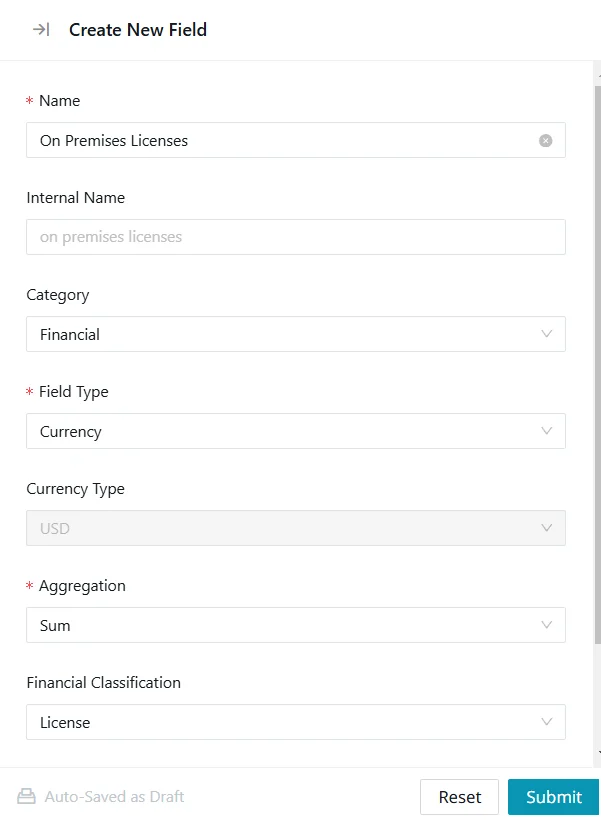
Build Custom Field Templates for Application Assessments
Modernization assessments move faster when the structure is already in place. Instead of recreating custom fields, interview questions, and assessment workflows for every customer, you can use a custom field template to standardize how data is collected from the start.
This guide shows you how to create a reusable Tidal Accelerator custom field template using Node.js and the Tidal API, so your assessments are easier to repeat, compare, and scale.
So you’re starting a modernization practice. Maybe you’re a consulting firm, maybe you’re building an internal capability. Either way, you’ve got a problem: every week, you’re walking into a new customer’s environment and you need to assess their application portfolio fast.
Consistency is your friend here. If you’re going to do this every week, you don’t want to be figuring out what questions to ask on the fly. You want a template. You want custom fields that map to your methodology. And you want it automated.
This is especially useful for consulting teams, AWS partners, DevOps teams, and internal modernization groups that need to run structured assessments across multiple customers, business units, or workspaces.
Why Templating Matters for Weekly Assessments
Application assessments are easier to scale when every workspace starts with the same structure. A custom field template helps you standardize the fields, questions, and data points your team needs before discovery begins.
Without a repeatable template:
- Data collected from Customer A isn’t comparable to Customer B
- You’re reinventing the questionnaire each time
- Integration with external systems (like your CMDB) becomes a manual nightmare
- Team members can’t easily substitute for each other
A good template gives you:
- Consistency: Every customer gets assessed the same way
- Speed: No more “what should we ask about this app?”
- Integration: Custom fields can map directly to your external systems
- Scalability: Train new assessors quickly
What This Guide Covers
This guide walks you through how to:
- Create reusable custom fields in Tidal Accelerator
- Set up API authentication for the Tidal platform
- Build and run an idempotent Node.js setup script
- Create interview questions linked to custom fields
- Extend the template for different assessment types
- Connect field data to workflows such as CMDB sync, bulk import, and reporting
Prerequisites
Before we dive into code, make sure you have:
- A Tidal Accelerator account with API access
- Your subdomain (the
[your-subdomain]part ofhttps://[your-subdomain].tidal.cloud) - An API token (generate one in the Tidal UI under Settings → API Tokens)
- Node.js installed (version 16 or higher)
You’ll also need to set two environment variables:
export TIDAL_SUBDOMAIN="your-subdomain"
export TIDAL_API_TOKEN="your-api-token-here"
For related setup details, see the Tidal Guides for API Authentication, Creating Custom Fields, and Creating Interview Questions.
The Complete Setup Script
Here’s everything you need in one place. This script will:
- Check if custom fields already exist (idempotency—run it multiple times safely)
- Create the
orgIDfield on applications (to track which customer an app belongs to) - Create the
CMDB_IDfield on servers (to link servers to your external CMDB) - Create interview questions linked to each field
Project Structure
Create a new directory for your template:
mkdir tidal-assessment-template
cd tidal-assessment-template
npm init -y
npm install axios
package.json
Your package.json should look like this:
{
  "name": "tidal-assessment-template",
  "version": "1.0.0",
  "description": "Template for creating custom fields and interview questions in Tidal Accelerator",
  "main": "setup-template.js",
  "scripts": {
    "setup": "node setup-template.js"
  },
  "dependencies": {
    "axios": "^1.6.0"
  }
}
The Main Script: setup-template.js
Note: This example assumes your Tidal Accelerator workspace supports API-based creation of custom fields and interview questions. Before using this in production, confirm the endpoint paths, payload structure, and field options against your current Tidal API documentation.
const axios = require('axios');

// Configuration from environment variables
const SUBDOMAIN = process.env.TIDAL_SUBDOMAIN;
const API_TOKEN = process.env.TIDAL_API_TOKEN;

if (!SUBDOMAIN || !API_TOKEN) {
  console.error('Error: Please set TIDAL_SUBDOMAIN and TIDAL_API_TOKEN environment variables');
  console.error('Example:');
  console.error('  export TIDAL_SUBDOMAIN="mycompany"');
  console.error('  export TIDAL_API_TOKEN="abc123..."');
  process.exit(1);
}

const BASE_URL = `https://${SUBDOMAIN}.tidal.cloud/api/v1`;

// Axios instance with default headers
const api = axios.create({
  baseURL: BASE_URL,
  headers: {
    'Authorization': `Bearer ${API_TOKEN}`,
    'Content-Type': 'application/json',
    'Accept': 'application/json'
  },
  timeout: 30000
});

/**
 * Helper function to handle API errors consistently
 */
function handleApiError(error, operation) {
  if (error.response) {
    console.error(`\n❌ API Error during ${operation}:`);
    console.error(`   Status: ${error.response.status}`);
    console.error(`   Data:`, error.response.data);
    console.error(`   URL: ${error.config?.url || 'unknown'}`);
  } else if (error.request) {
    console.error(`\n❌ Network Error during ${operation}: No response received`);
    console.error(`   Check your internet connection and subdomain.`);
  } else {
    console.error(`\n❌ Error during ${operation}:`, error.message);
  }
}

/**
 * Get all fields for a specific model type
 * @param {string} modelType - 'applications' or 'servers'
 * @returns {Promise<Array>} - Array of field objects
 */
async function getFields(modelType) {
  try {
    const response = await api.get('/fields', {
      params: { model_type: modelType }
    });
    return response.data || [];
  } catch (error) {
    handleApiError(error, `getFields(${modelType})`);
    return [];
  }
}

/**
 * Check if a field already exists by its key
 * @param {string} modelType - 'applications' or 'servers'
 * @param {string} key - The field key to check for
 * @returns {Promise<Object|null>} - The existing field or null
 */
async function fieldExists(modelType, key) {
  const fields = await getFields(modelType);
  return fields.find(field => field.key === key) || null;
}

/**
 * Create a custom field
 * @param {Object} fieldData - Field configuration
 * @returns {Promise<Object>} - Created field
 */
async function createField(fieldData) {
  try {
    const response = await api.post('/fields', fieldData);
    return response.data;
  } catch (error) {
    handleApiError(error, `createField(${fieldData.key})`);
    throw error;
  }
}

/**
 * Get all interview questions
 * @returns {Promise<Array>} - Array of question objects
 */
async function getQuestions() {
  try {
    const response = await api.get('/questions');
    return response.data || [];
  } catch (error) {
    handleApiError(error, 'getQuestions');
    return [];
  }
}

/**
 * Check if a question already exists by its text
 * @param {string} questionText - The question text to check for
 * @returns {Promise<Object|null>} - The existing question or null
 */
async function questionExists(questionText) {
  const questions = await getQuestions();
  return questions.find(q => q.question === questionText) || null;
}

/**
 * Create an interview question
 * @param {Object} questionData - Question configuration
 * @returns {Promise<Object>} - Created question
 */
async function createQuestion(questionData) {
  try {
    const response = await api.post('/questions', questionData);
    return response.data;
  } catch (error) {
    handleApiError(error, `createQuestion`);
    throw error;
  }
}

/**
 * Setup the orgID field for applications
 * This field tracks which organization/customer an application belongs to
 */
async function setupOrgIdField() {
  console.log('\n📋 Setting up orgID field for applications...');

  const fieldKey = 'orgID';
  const existingField = await fieldExists('applications', fieldKey);

  if (existingField) {
    console.log(`   ✅ Field '${fieldKey}' already exists (ID: ${existingField.id})`);
    return existingField;
  }

  const fieldData = {
    field: {
      key: fieldKey,
      name: 'Organization ID',
      description: 'The customer or organization this application belongs to. Use this to group applications by customer in multi-tenant assessments.',
      model_type: 'applications',
      data_type: 'string',  // Text field for flexibility (could be UUID, short code, etc.)
      validation_rules: {
        required: true     // Every app should have an org assignment
      }
    }
  };

  const createdField = await createField(fieldData);
  console.log(`   ✅ Created field '${fieldKey}' (ID: ${createdField.id})`);
  return createdField;
}

/**
 * Setup the CMDB_ID field for servers
 * This field links servers to an external Configuration Management Database
 */
async function setupCmdbIdField() {
  console.log('\n🖥️  Setting up CMDB_ID field for servers...');

  const fieldKey = 'CMDB_ID';
  const existingField = await fieldExists('servers', fieldKey);

  if (existingField) {
    console.log(`   ✅ Field '${fieldKey}' already exists (ID: ${existingField.id})`);
    return existingField;
  }

  const fieldData = {
    field: {
      key: fieldKey,
      name: 'CMDB ID',
      description: 'External Configuration Management Database identifier. Use this to link Tidal servers to your CMDB records.',
      model_type: 'servers',
      data_type: 'string',  // CMDB IDs vary (could be numeric, UUID, etc.)
      validation_rules: {
        required: false     // Not all servers may have CMDB entries initially
      }
    }
  };

  const createdField = await createField(fieldData);
  console.log(`   ✅ Created field '${fieldKey}' (ID: ${createdField.id})`);
  return createdField;
}

/**
 * Create interview question for orgID
 * This question will be linked to the orgID field
 */
async function setupOrgIdQuestion(orgIdField) {
  console.log('\n❓ Setting up interview question for orgID...');

  const questionText = 'Which organization or customer does this application belong to?';
  const existingQuestion = await questionExists(questionText);

  if (existingQuestion) {
    console.log(`   ✅ Question already exists (ID: ${existingQuestion.id})`);
    return existingQuestion;
  }

  const questionData = {
    question: {
      question: questionText,
      description: 'Enter the organization identifier (e.g., "acme-corp", "customer-001", or your internal org code). This will populate the Organization ID field.',
      question_type: 'text',
      target_model: 'applications',
      field_id: orgIdField.id,  // Link to the orgID field
      // Optional: Categorize this as an administrative question
      category: 'administrative',
      // Set priority - ask this early in the assessment
      priority: 1
    }
  };

  const createdQuestion = await createQuestion(questionData);
  console.log(`   ✅ Created question (ID: ${createdQuestion.id})`);
  return createdQuestion;
}

/**
 * Create interview question for CMDB_ID
 * This question will be linked to the CMDB_ID field
 */
async function setupCmdbIdQuestion(cmdbIdField) {
  console.log('\n❓ Setting up interview question for CMDB_ID...');

  const questionText = 'What is the CMDB identifier for this server?';
  const existingQuestion = await questionExists(questionText);

  if (existingQuestion) {
    console.log(`   ✅ Question already exists (ID: ${existingQuestion.id})`);
    return existingQuestion;
  }

  const questionData = {
    question: {
      question: questionText,
      description: 'Enter the server\'s identifier from your Configuration Management Database. This creates a link between Tidal and your CMDB for tracking and synchronization.',
      question_type: 'text',
      target_model: 'servers',
      field_id: cmdbIdField.id,  // Link to the CMDB_ID field
      category: 'technical',
      priority: 2
    }
  };

  const createdQuestion = await createQuestion(questionData);
  console.log(`   ✅ Created question (ID: ${createdQuestion.id})`);
  return createdQuestion;
}

/**
 * Main execution function
 */
async function main() {
  console.log('╔══════════════════════════════════════════════════════════════╗');
  console.log('║     Tidal Accelerator Assessment Template Setup              ║');
  console.log('║                                                              ║');
  console.log('║  Creating custom fields and interview questions for          ║');
  console.log('║  weekly customer assessments.                                ║');
  console.log('╚══════════════════════════════════════════════════════════════╝');

  console.log(`\n🌐 Subdomain: ${SUBDOMAIN}`);
  console.log(`🔗 API Base URL: ${BASE_URL}`);

  try {
    // Step 1: Setup orgID field for applications
    const orgIdField = await setupOrgIdField();

    // Step 2: Setup CMDB_ID field for servers
    const cmdbIdField = await setupCmdbIdField();

    // Step 3: Create interview questions linked to these fields
    await setupOrgIdQuestion(orgIdField);
    await setupCmdbIdQuestion(cmdbIdField);

    console.log('\n╔══════════════════════════════════════════════════════════════╗');
    console.log('║  ✅ Template setup complete!                                   ║');
    console.log('╚══════════════════════════════════════════════════════════════╝');
    console.log('\n📊 Summary:');
    console.log('   • orgID field: Created (or already existed) for applications');
    console.log('   • CMDB_ID field: Created (or already existed) for servers');
    console.log('   • Interview questions: Created and linked to fields');
    console.log('\n🚀 Next steps:');
    console.log('   1. Log into Tidal Accelerator and verify the fields exist');
    console.log('   2. Import your first customer\'s application inventory');
    console.log('   3. Use the interview questions during assessment interviews');
    console.log('   4. Populate orgID and CMDB_ID values for your data');
    console.log('\n💡 Tip: Run this script again anytime you want to ensure the');
    console.log('   template is applied to a new workspace. It\'s idempotent!');

  } catch (error) {
    console.error('\n💥 Setup failed. See errors above.');
    process.exit(1);
  }
}

// Run the main function
main();
How to Use It
Step 1: Set Up Your Environment
# Clone or create your project directory
cd tidal-assessment-template

# Install dependencies
npm install

# Set your environment variables
export TIDAL_SUBDOMAIN="your-subdomain"
export TIDAL_API_TOKEN="your-api-token"
Step 2: Run the Script
npm run setup
# or directly:
node setup-template.js
You should see output like this:
╔══════════════════════════════════════════════════════════════╗
║     Tidal Accelerator Assessment Template Setup              ║
║                                                              ║
║  Creating custom fields and interview questions for          ║
║  weekly customer assessments.                                ║
╚══════════════════════════════════════════════════════════════╝

🌐 Subdomain: mycompany
🔗 API Base URL: https://mycompany.tidal.cloud/api/v1

📋 Setting up orgID field for applications...
   ✅ Created field 'orgID' (ID: 12345)

🖥️  Setting up CMDB_ID field for servers...
   ✅ Created field 'CMDB_ID' (ID: 12346)

❓ Setting up interview question for orgID...
   ✅ Created question (ID: 67890)

❓ Setting up interview question for CMDB_ID...
   ✅ Created question (ID: 67891)

╔══════════════════════════════════════════════════════════════╗
║  ✅ Template setup complete!                                   ║
╚══════════════════════════════════════════════════════════════╝
Step 3: Verify in Tidal Accelerator
-
Log into your Tidal Accelerator instance
-
Go to Settings → Custom Fields
-
You should see:
- Organization ID under Application Fields
- CMDB ID under Server Fields
-
Go to Assessment → Interview Questions
-
You should see your new questions ready to use
Step 4: Run It Again (Test Idempotency)
The beauty of this script is that it’s idempotent—you can run it multiple times without creating duplicates:
node setup-template.js
You should see:
📋 Setting up orgID field for applications...
   ✅ Field 'orgID' already exists (ID: 12345)
This means you can safely include this script in your onboarding process for every new customer workspace.
Understanding the Custom Fields
orgID (Applications)
| Attribute | Value | Why |
|---|---|---|
| Key | orgID |
Machine-readable identifier |
| Name | Organization ID | Human-readable label |
| Type | String | Flexible format (UUID, code, name) |
| Required | Yes | Every app needs an owner |
| Use Case | Multi-tenant assessments | Filter apps by customer |
Example values:
acme-corpcustomer-001e7b3c4d5-1234-5678-9abc-def012345678
CMDB_ID (Servers)
| Attribute | Value | Why |
|---|---|---|
| Key | CMDB_ID |
Matches CMDB terminology |
| Name | CMDB ID | Clear purpose |
| Type | String | CMDB IDs vary widely |
| Required | No | Discovery may happen later |
| Use Case | External system linkage | Sync with ServiceNow, etc. |
Example values:
SERV001234cmdb_ci_server_567893f8a9b2c-1d4e-5f6g-7h8i-9j0k1l2m3n4o
Extending Your Template
The following examples are illustrative extensions. They show how you might expand the template, but you will need to connect them to your own Tidal API helper functions and external systems.
Now that you have the foundation, here are ways to expand:
Add More Custom Fields
async function setupMigrationWaveField() {
  const fieldKey = 'migrationWave';
  const existingField = await fieldExists('applications', fieldKey);

  if (existingField) return existingField;

  const fieldData = {
    field: {
      key: fieldKey,
      name: 'Migration Wave',
      description: 'Which migration wave this application is assigned to',
      model_type: 'applications',
      data_type: 'integer',  // Wave 1, 2, 3, etc.
      validation_rules: {
        required: false,
        min: 1,
        max: 100
      }
    }
  };

  return await createField(fieldData);
}
Add Dropdown Fields
async function setupBusinessCriticalityField() {
  const fieldData = {
    field: {
      key: 'businessCriticality',
      name: 'Business Criticality',
      model_type: 'applications',
      data_type: 'single_select',
      options: [
        { label: 'Critical', value: 'critical' },
        { label: 'High', value: 'high' },
        { label: 'Medium', value: 'medium' },
        { label: 'Low', value: 'low' }
      ]
    }
  };

  return await createField(fieldData);
}
Create Field Sets for Different Assessment Types
// Add one setup*Field function per custom field (see setupMigrationWaveField above).
const assessmentTypes = {
  'cloud-migration': [setupOrgIDField, setupMigrationWaveField, setupCloudReadinessField],
  'containerization': [setupOrgIDField, setupContainerizableField, setupK8sComplexityField],
  'decommissioning': [setupOrgIDField, setupLastAccessedField, setupDataRetentionField]
};

async function setupAssessmentTemplate(type) {
  const fieldSetupFunctions = assessmentTypes[type] || [];
  for (const setupFn of fieldSetupFunctions) {
    await setupFn();
  }
}
Integrating with Tidal Tools
The real power comes when you connect this to your broader toolchain:
Sync with Your CMDB
// Example: Update CMDB_ID from ServiceNow
async function syncWithServiceNow(serverId) {
  const server = await getServerFromTidal(serverId);

  // Query ServiceNow for matching server
  const cmdbRecord = await servicenow.query({
    name: server.name,
    ip: server.ip_address
  });

  if (cmdbRecord) {
    await updateServerField(serverId, 'CMDB_ID', cmdbRecord.sys_id);
  }
}
Bulk Import Applications with orgID
async function importCustomerApplications(csvData, orgId) {
  for (const row of csvData) {
    const app = await createApplication({
      name: row.appName,
      description: row.description,
      custom_fields: {
        orgID: orgId  // Pre-populate the orgID
      }
    });
  }
}
Generate Customer Reports
async function generateCustomerReport(orgId) {
  const apps = await getApplications({
    custom_fields: { orgID: orgId }
  });

  const servers = await getServers({
    application_ids: apps.map(a => a.id)
  });

  return {
    organization: orgId,
    applicationCount: apps.length,
    serverCount: servers.length,
    cmdbLinkedCount: servers.filter(s => s.custom_fields.CMDB_ID).length
  };
}
Troubleshooting
“Cannot find module ‘axios’”
Run npm install again. Make sure you’re in the correct directory.
“401 Unauthorized”
Your API token is invalid or expired. Generate a new one in Tidal Settings → API Tokens.
“Field already exists but with different case”
The API is case-sensitive. orgID and OrgId are different fields. Pick one and stick with it.
“Cannot read property ‘id’ of undefined”
One of the API calls failed. Check that your subdomain and token are correct, and that your Tidal instance is accessible.
Complete Reference: API Endpoints Used
| Endpoint | Method | Purpose |
|---|---|---|
/fields?model_type=applications |
GET | List application fields |
/fields?model_type=servers |
GET | List server fields |
/fields |
POST | Create custom field |
/questions |
GET | List interview questions |
/questions |
POST | Create interview question |
Conclusion
You’re now set up for repeatable, professional application assessments. With a reusable custom field template in place, each new workspace can start with the same structure, helping your data stay organized and easier to compare.
The script you’ve built is:
- Idempotent: Run it safely, multiple times
- Extensible: Add new fields and questions easily
- Documented: Comments explain every step
- Production-ready: Error handling and validation included
From here, you can expand the template with additional fields, connect it to external systems, or use it as the foundation for customer-specific assessment workflows.
Ready to standardize your next application assessment? Start with a reusable Tidal Accelerator custom field template.
Additional Resources
- Tidal Accelerator Documentation
- Tidal API Reference:
https://<your-subdomain>.tidal.cloud/api/docs - Tidal Tools CLI