

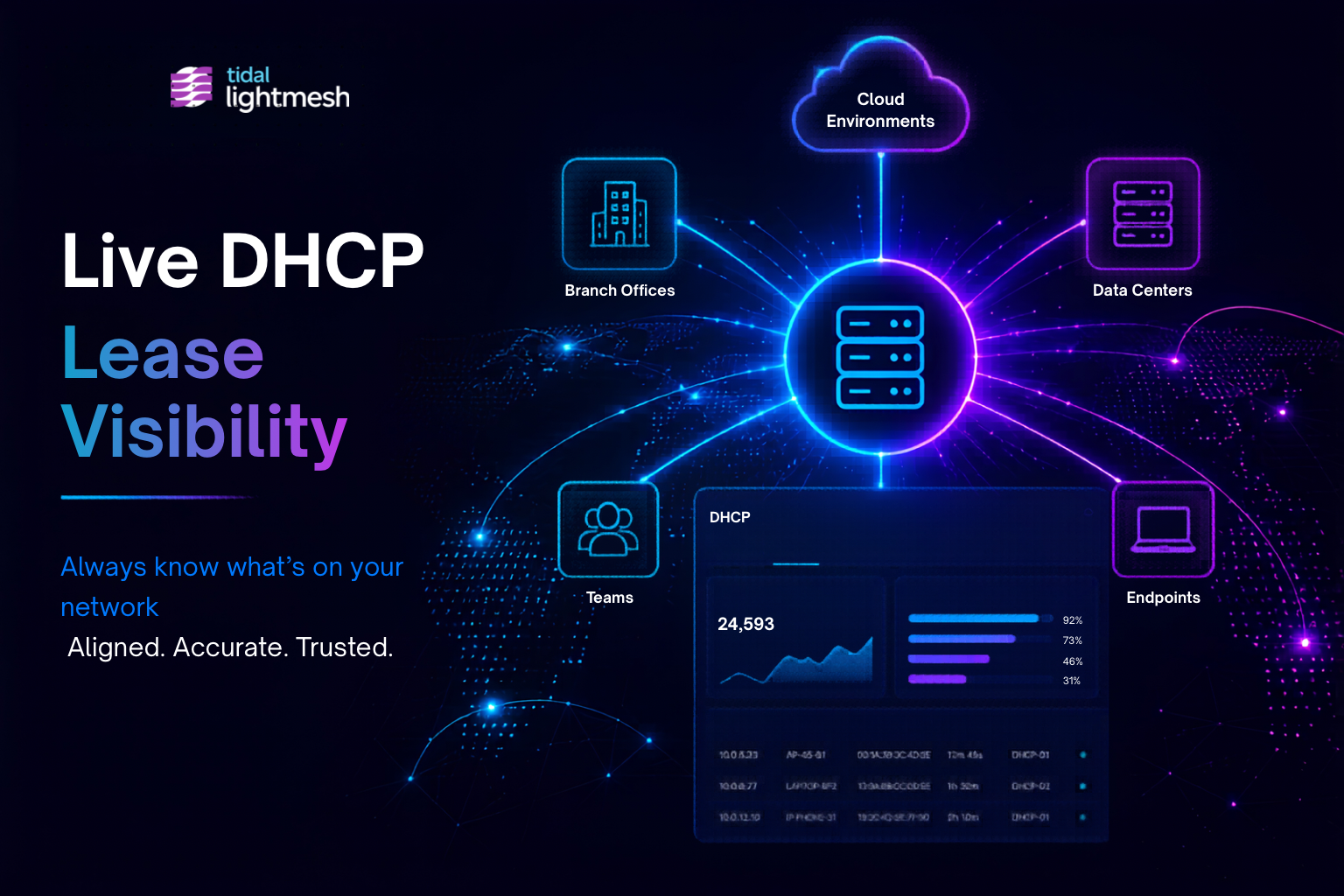
Dynamic Host Configuration Protocol (DHCP) activity changes faster than most IP inventory systems can keep up.
Devices reconnect. Leases expire. Infrastructure changes constantly across servers, endpoints, and cloud environments. If your IP inventory cannot reflect those changes automatically, teams quickly lose confidence in the data they rely on to operate the network.
That’s why LightMesh now includes native DHCP integration, giving your team a live, reliable source of truth for IP address management.
(For architectural background on the Windows Discovery Agent, read Centralize DHCP Visibility with the Windows Discovery Agent)
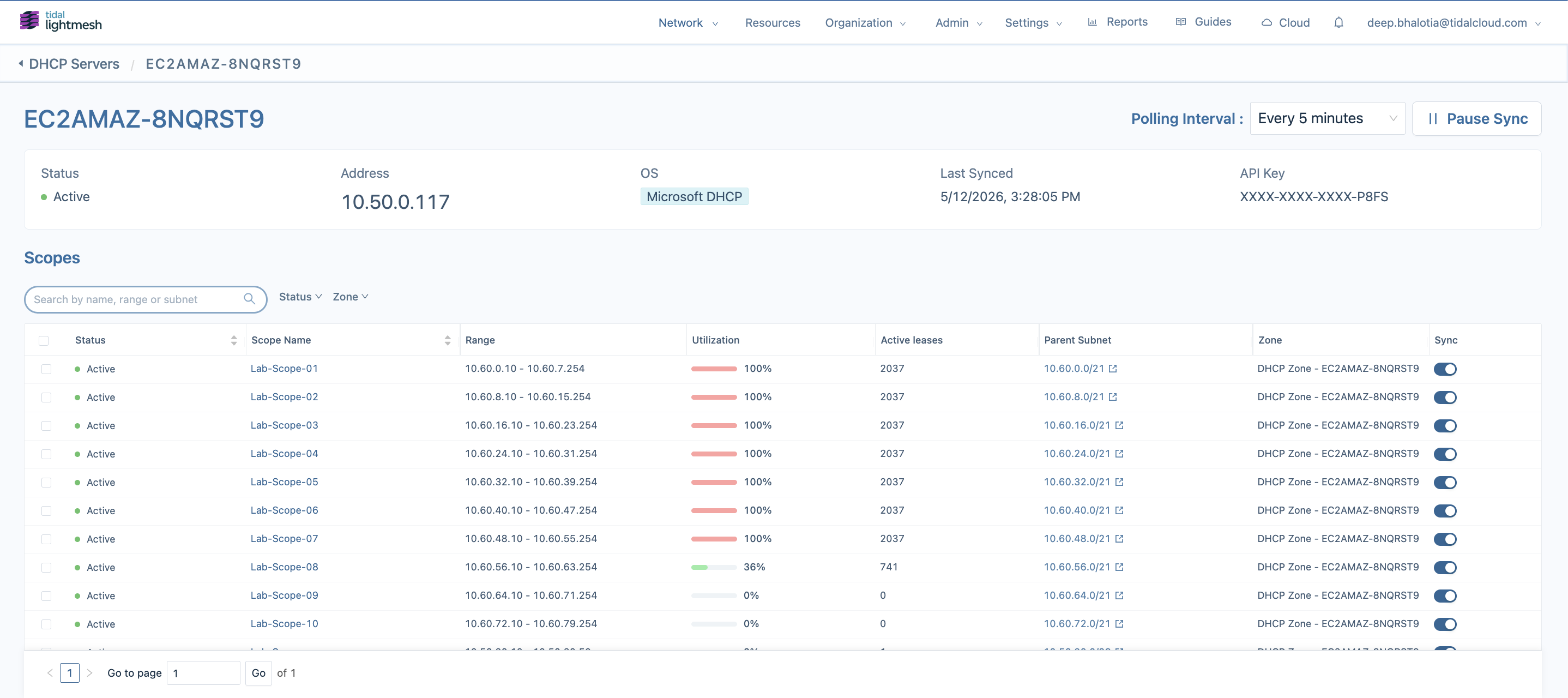
Modern DHCP dashboard showing centralized lease visibility, subnet relationships, and operational activity inside LightMesh
Why DHCP Belongs Inside Your IPAM Platform
In many environments, DHCP still operates in isolation from IPAM. Lease records sit in one system, subnet planning in another, and when an investigation or audit comes up, teams are left manually exporting data and reconciling across disconnected sources just to reconstruct a basic timeline.
Over time, those disconnected workflows create drift between what your network inventory says exists and what is actually active on the network. The result is slower troubleshooting, fragmented visibility, and infrastructure records teams stop trusting.
With DHCP integrated directly into LightMesh, lease activity stays aligned with the rest of your IP inventory.
What’s Included
LightMesh continuously reflects dynamic activity across your environment directly inside IPAM, including:
- DHCP scopes, leases, and reservations
- IPv4 and IPv6 lease activity
- Assigned IP addresses, hostnames, and MAC addresses
- Lease timestamps, assignment history, and source DHCP server metadata
- Historical lease visibility for troubleshooting and investigations
The Windows Discovery Agent runs as a Windows service inside your environment, synchronizing DHCP activity in the background as address assignments change throughout the day. The same synchronization workflow supports both Windows Server with Desktop Experience and Windows Server Core deployments, allowing infrastructure teams to collect DHCP data from headless server environments without changing operational processes.
To improve resiliency, the agent automatically retries failed synchronization attempts and queues updates locally when connectivity is temporarily unavailable.
For implementation details, see the LightMesh DHCP (Windows Discovery Agent) Setup Guide and DHCP Discovery on Windows Server Core Guide, which walk through installation, configuration, and synchronization setup.
When DHCP scopes are discovered without an existing parent subnet, LightMesh can automatically create the associated subnet and zone structure. This reduces onboarding friction, minimizes manual cleanup, and helps teams maintain consistent infrastructure records as DHCP environments evolve. Lease utilization now contributes directly to LightMesh usage tracking, giving teams more accurate visibility into subnet consumption and capacity planning.
Everything appears directly alongside your existing subnet and IP assignment views from a single operational interface.
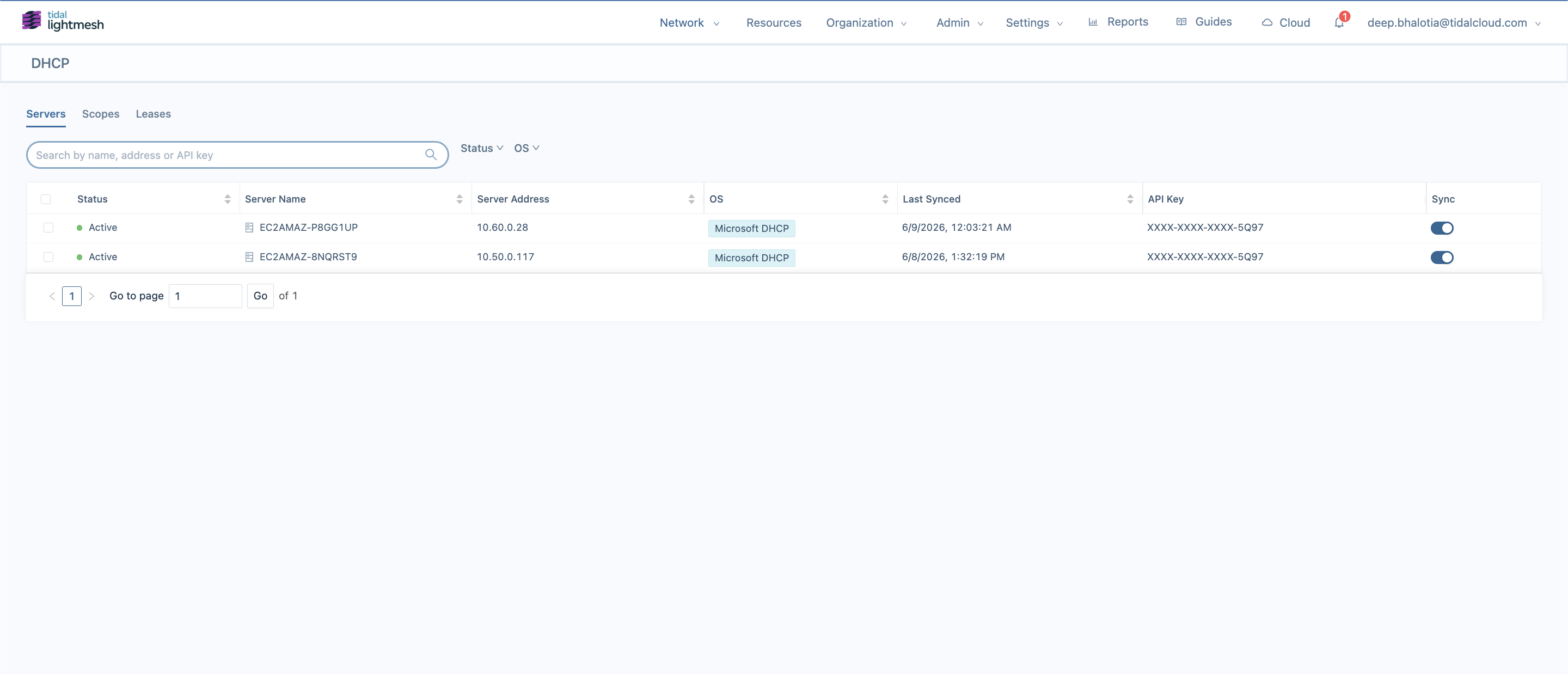
DHCP server inventory list showing servers by name, address, and status with the latest sync date and time
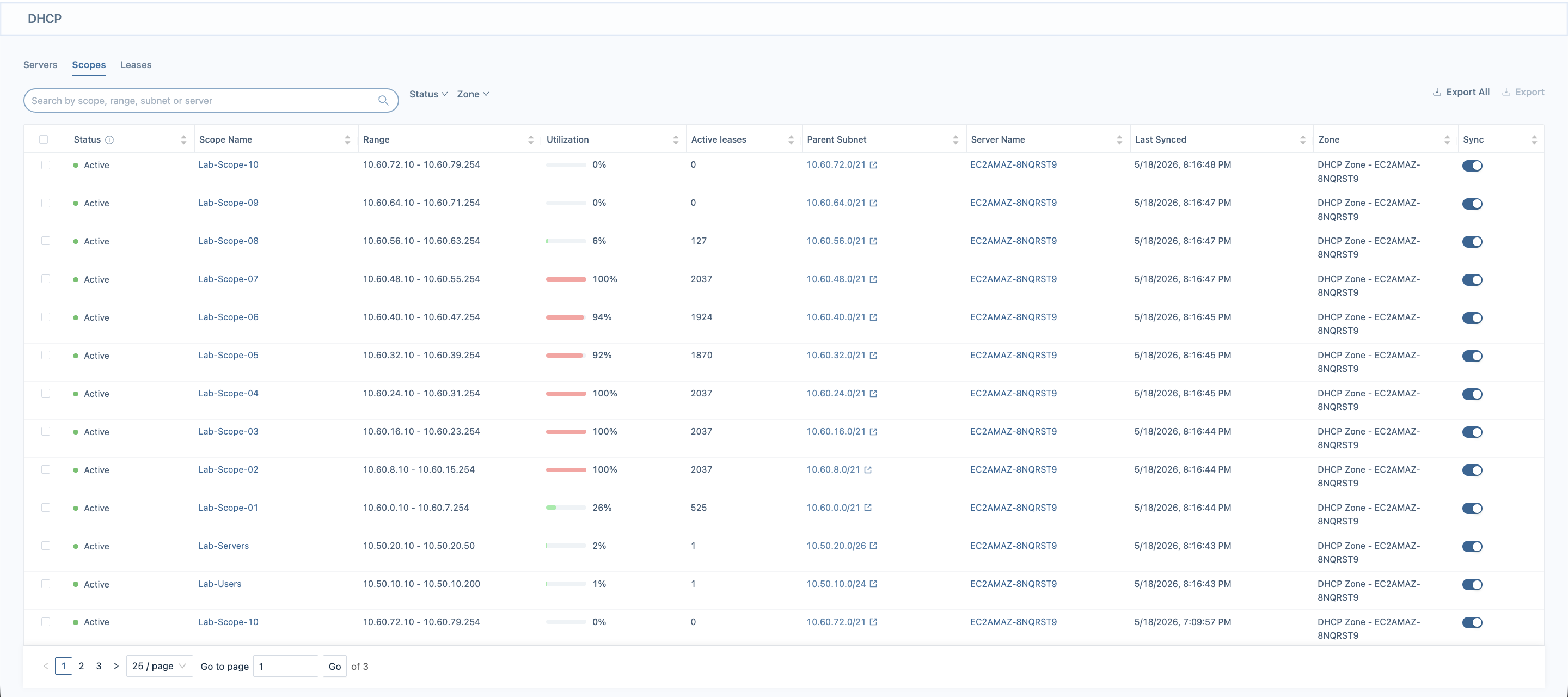
DHCP scopes view of utilization and essential data as displayed inside LightMesh
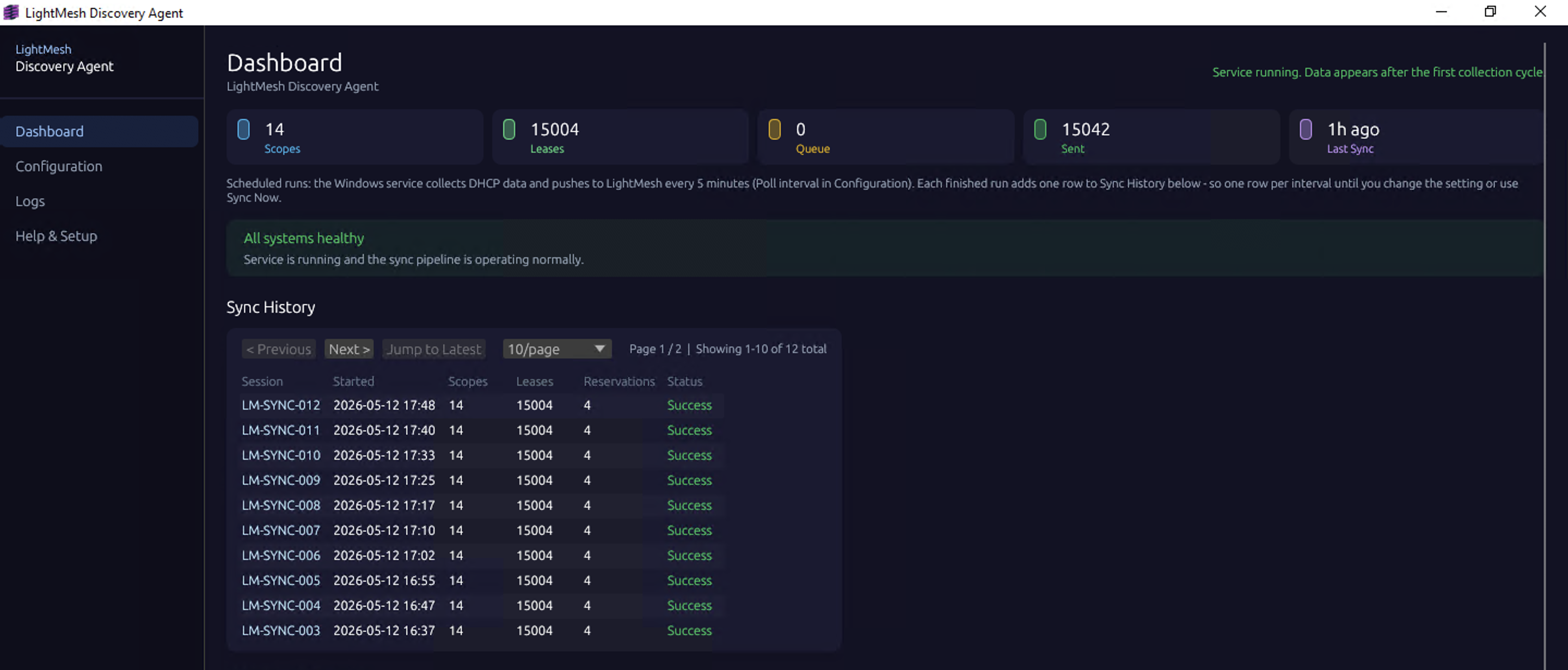
How the Windows Discovery Agent synchronizes DHCP lease history into LightMesh
Faster Troubleshooting and Audit Investigations
Historical visibility is one of the hardest parts of DHCP management.
When an issue comes up, teams rarely just need to know what is assigned right now. They need to understand what changed, when it changed, and which device was involved.
With LightMesh, teams can quickly answer the questions that come up during investigations and audits:
- Which device previously held this IP?
- When did the assignment change?
- Which DHCP server issued the lease?
- Was the device active during the incident window?
That history helps operations and security teams move faster while maintaining stronger auditability across the network.
For one LightMesh customer managing more than 30,000 active IPs, that visibility helps keep DHCP activity aligned across their entire inventory.
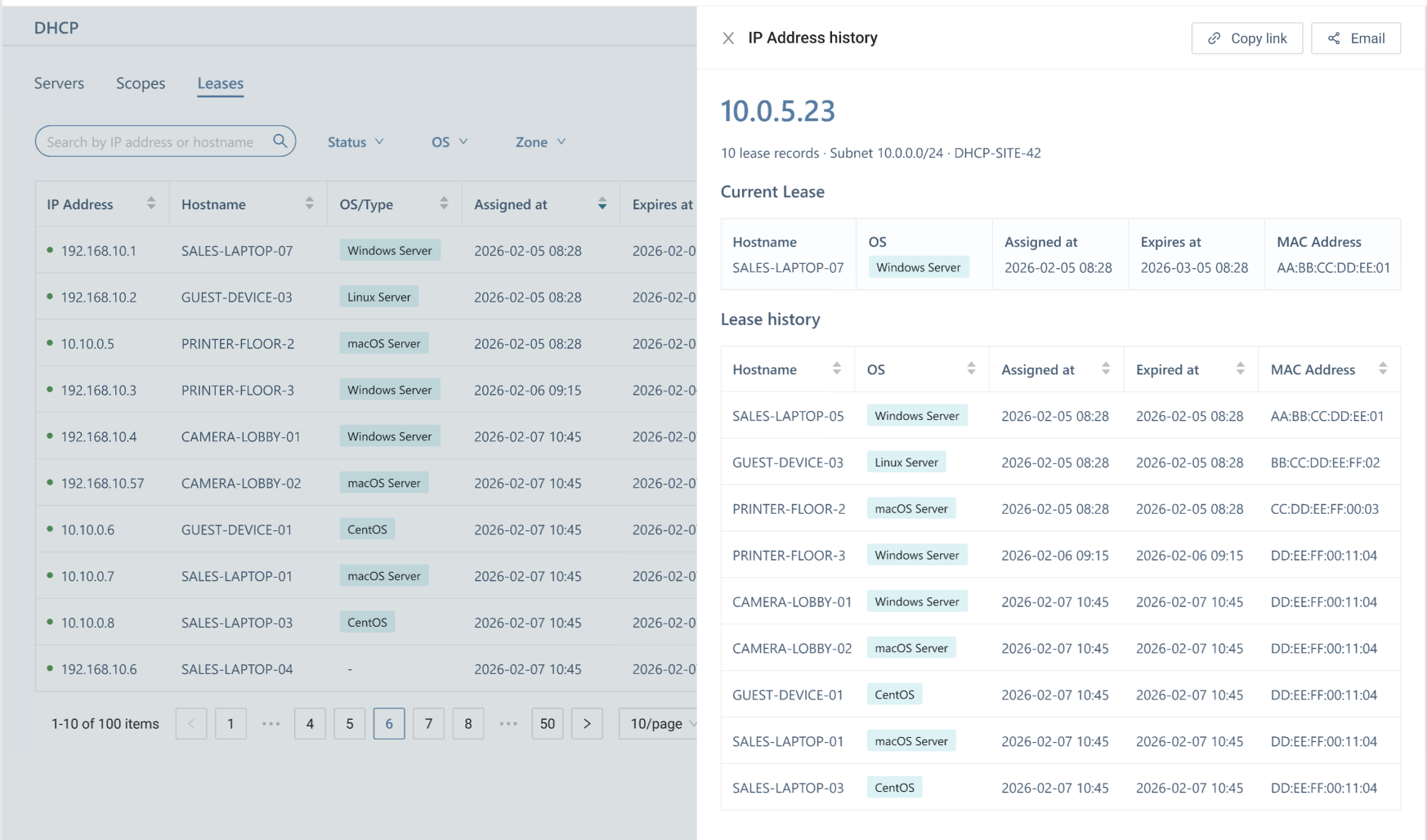
Search historical DHCP activity by IP address, hostname, subnet, or assignment history
Built for High-Volume DHCP Environments
In larger environments, DHCP activity doesn’t slow down—it compounds. More servers, more endpoints, more leases to reconcile across distributed infrastructure. Manual processes that work at 5,000 IPs quietly break at 30,000.
LightMesh is built to handle it. Tested against high-volume lease environments, it keeps synchronization reliable as your network grows, so your team spends less time reconciling data and more time trusting it.
One source of truth. DHCP activity, IP inventory, and infrastructure context — together, and always current.